
Single Sign-On (SSO) Solutions
These are the specialized categories within Single Sign-On (SSO) Solutions. Looking for something broader? See all Cybersecurity, Privacy & Compliance Software categories.

How big is your team?
What's your budget situation?
What's your team's technical comfort level?
What's the ONE thing this tool must do well?
AuthX Single Sign-On is an ideal solution for contractors seeking enhanced security and seamless login experience. Its robust SSO requirements meet industry standards, providing efficient and secure login for employees, contractors, and partners, reducing the risk of security breaches and improving productivity.
Best for Single Sign-On (SSO) Solutions for Contractors
Expert Take
AuthX Single Sign-On is a premium solution for contractors, offering robust security features and efficient SSO capabilities tailored to industry standards. Its market credibility is supported by third-party validations, and while pricing transparency is limited, the product's overall value and usability remain high.
Pros
- Seamless 'Tap & Go' badge authentication
- Highly competitive pricing starting at $2/user
- Specialized HIPAA and EPCS compliance features
- Strong support for shared workstation kiosks
- Integrated biometric and passwordless options
Cons
- Lower market presence than industry leaders
- Smaller integration library than Okta
- Limited public developer documentation
- Steeper learning curve for initial setup
- Fewer third-party implementation partners
Best for teams that are
- Healthcare providers needing fast tap-and-go or biometric access
- Organizations using Citrix or VMware VDI environments
- Clinics requiring seamless EHR integration for shared workstations
Skip if
- Non-clinical businesses seeking a basic, free SSO tool
- Companies not needing specialized hardware integration like RFID
- Small teams looking for a simple, software-only password manager
Best for teams that are
- Healthcare providers needing fast tap-and-go or biometric access
- Organizations using Citrix or VMware VDI environments
- Clinics requiring seamless EHR integration for shared workstations
Skip if
- Non-clinical businesses seeking a basic, free SSO tool
- Companies not needing specialized hardware integration like RFID
- Small teams looking for a simple, software-only password manager
Pros
- Seamless 'Tap & Go' badge authentication
- Highly competitive pricing starting at $2/user
- Specialized HIPAA and EPCS compliance features
- Strong support for shared workstation kiosks
- Integrated biometric and passwordless options
Cons
- Lower market presence than industry leaders
- Smaller integration library than Okta
- Limited public developer documentation
- Steeper learning curve for initial setup
- Fewer third-party implementation partners
Expert Take
AuthX Single Sign-On is a premium solution for contractors, offering robust security features and efficient SSO capabilities tailored to industry standards. Its market credibility is supported by third-party validations, and while pricing transparency is limited, the product's overall value and usability remain high.
Duo SSO is designed to meet the needs of contractors who require secure, simplified access to multiple apps. It eliminates password chaos by providing a single login, and uses a digital token for enhanced security. This is particularly beneficial in the contracting industry where projects often involve multiple stakeholders needing access to various platforms.
Best for Single Sign-On (SSO) Solutions for Contractors
Expert Take
Duo SSO is a premium Single Sign-On solution tailored for contractors, offering simplified access and enhanced security through digital tokens. Its integration capabilities and focus on the contracting industry make it a standout choice. While pricing transparency is limited, the product excels in usability and security.
Pros
- FedRAMP Authorized & FIPS compliant
- Transparent pricing starting at $3/user
- Rated 9.0/10 for Ease of Setup
- Phishing-resistant MFA (FIDO2/WebAuthn)
- Unlimited app integrations on paid plans
Cons
- SSO feature excluded from Free plan
- Lacks full user lifecycle management
- Offline access has strict user limits
- Fewer pre-built integrations than Okta
- Telephony credits cost extra
Best for teams that are
- SMBs seeking a user-friendly, cloud-native SSO with strong MFA
- Current Cisco security users wanting seamless identity integration
- Organizations needing easy deployment without heavy infrastructure
Skip if
- Large enterprises requiring complex on-premise identity hosting
- Organizations needing IdP-initiated logins for Cisco Secure Access
- Companies looking for a standalone IdP without MFA focus
Best for teams that are
- SMBs seeking a user-friendly, cloud-native SSO with strong MFA
- Current Cisco security users wanting seamless identity integration
- Organizations needing easy deployment without heavy infrastructure
Skip if
- Large enterprises requiring complex on-premise identity hosting
- Organizations needing IdP-initiated logins for Cisco Secure Access
- Companies looking for a standalone IdP without MFA focus
Pros
- FedRAMP Authorized & FIPS compliant
- Transparent pricing starting at $3/user
- Rated 9.0/10 for Ease of Setup
- Phishing-resistant MFA (FIDO2/WebAuthn)
- Unlimited app integrations on paid plans
Cons
- SSO feature excluded from Free plan
- Lacks full user lifecycle management
- Offline access has strict user limits
- Fewer pre-built integrations than Okta
- Telephony credits cost extra
Expert Take
Duo SSO is a premium Single Sign-On solution tailored for contractors, offering simplified access and enhanced security through digital tokens. Its integration capabilities and focus on the contracting industry make it a standout choice. While pricing transparency is limited, the product excels in usability and security.
CyberArk's Single Sign-On (SSO) is especially beneficial for insurance agents who require secure access to multiple applications without the need to remember numerous passwords. Its robust security features ensure protection against cyber threats, and its user-friendly interface enhances productivity by reducing the time spent on login processes.
Best for Single Sign-On (SSO) Solutions for Insurance Agents
Expert Take
CyberArk Single Sign-On is a premium solution tailored for insurance agents, offering robust security and seamless integration with various applications. Its market credibility is supported by third-party validations, and its usability is enhanced by a user-friendly interface. However, pricing transparency is limited due to its enterprise-focused model.
Pros
- FedRAMP High Authorization achieved
- Secure Web Sessions recording capability
- VPN-less access via App Gateway
- FIDO2 Certified passwordless auth
- Continuous authentication monitoring
Cons
- Higher price point than competitors
- Complex initial setup process
- Documentation lacks specificity
- Steep learning curve for admins
- Fewer integrations than Okta
Best for teams that are
- Enterprises prioritizing Privileged Access Management (PAM) security
- Organizations needing to secure high-risk administrative access
- Companies requiring integrated identity security for workforce and IT
Skip if
- Small businesses seeking a standalone, low-cost SSO tool
- Users not requiring privileged account security integration
- Teams looking for a dedicated Customer Identity (CIAM) solution
Best for teams that are
- Enterprises prioritizing Privileged Access Management (PAM) security
- Organizations needing to secure high-risk administrative access
- Companies requiring integrated identity security for workforce and IT
Skip if
- Small businesses seeking a standalone, low-cost SSO tool
- Users not requiring privileged account security integration
- Teams looking for a dedicated Customer Identity (CIAM) solution
Pros
- FedRAMP High Authorization achieved
- Secure Web Sessions recording capability
- VPN-less access via App Gateway
- FIDO2 Certified passwordless auth
- Continuous authentication monitoring
Cons
- Higher price point than competitors
- Complex initial setup process
- Documentation lacks specificity
- Steep learning curve for admins
- Fewer integrations than Okta
Expert Take
CyberArk Single Sign-On is a premium solution tailored for insurance agents, offering robust security and seamless integration with various applications. Its market credibility is supported by third-party validations, and its usability is enhanced by a user-friendly interface. However, pricing transparency is limited due to its enterprise-focused model.

Okta Single Sign-On is a secure solution specifically designed to meet the needs of accountants and finance professionals. It provides a secure, simplified sign-on process, reducing the risk of security breaches and enhancing productivity by eliminating the need for multiple passwords. Its robust security compliances make it ideal for the sensitive data handling requirements of the accounting industry.
Best for Single Sign-On (SSO) Solutions for Accountants
Expert Take
Okta Single Sign-On stands out in the SSO market for accountants due to its robust security features and compliance with industry standards. Its integration capabilities and scalability make it a strong choice for firms of all sizes, despite the initial setup requirements.
Pros
- Over 7,000 pre-built integrations (OIN)
- Supports SAML, OIDC, SWA, and WS-Fed
- Gartner Leader for 9 consecutive years
- FedRAMP, HIPAA, and SOC 2 compliant
- Highly intuitive end-user dashboard
Cons
- $1,500 annual contract minimum applies
- History of support system security breaches
- Add-on features significantly increase cost
- Support responsiveness can be slow
- Complex initial setup for advanced features
Best for teams that are
- Large enterprises requiring extensive pre-built integrations (7,000+).
- Organizations with complex hybrid IT environments (cloud and on-prem).
- IT teams needing advanced policy engines and lifecycle automation.
Skip if
- Small businesses with limited budgets due to high per-user costs.
- Startups seeking a simple, set-and-forget solution without sales contact.
- Organizations that do not need advanced enterprise-grade features.
Best for teams that are
- Large enterprises requiring extensive pre-built integrations (7,000+).
- Organizations with complex hybrid IT environments (cloud and on-prem).
- IT teams needing advanced policy engines and lifecycle automation.
Skip if
- Small businesses with limited budgets due to high per-user costs.
- Startups seeking a simple, set-and-forget solution without sales contact.
- Organizations that do not need advanced enterprise-grade features.
Pros
- Over 7,000 pre-built integrations (OIN)
- Supports SAML, OIDC, SWA, and WS-Fed
- Gartner Leader for 9 consecutive years
- FedRAMP, HIPAA, and SOC 2 compliant
- Highly intuitive end-user dashboard
Cons
- $1,500 annual contract minimum applies
- History of support system security breaches
- Add-on features significantly increase cost
- Support responsiveness can be slow
- Complex initial setup for advanced features
Expert Take
Okta Single Sign-On stands out in the SSO market for accountants due to its robust security features and compliance with industry standards. Its integration capabilities and scalability make it a strong choice for firms of all sizes, despite the initial setup requirements.

Auth0's Single Sign-On (SSO) solution is designed with marketing agencies in mind, offering seamless access to multiple applications with a single login. It simplifies user management, enhances security, and provides a smooth user experience. This SaaS solution is especially useful for marketing agencies working with multiple platforms, reducing the time and hassle associated with managing separate logins for each platform.
Best for Single Sign-On (SSO) Solutions for Marketing Agencies
Expert Take
Auth0 Single Sign-On is a leading solution for marketing agencies, offering a seamless login experience across multiple platforms. It is recognized for its strong security features, ease of integration, and customizable interface. Despite requiring technical setup, it remains a top choice due to its robust capabilities and analytics.
Pros
- Universal Login supports OIDC & SAML
- Extensive SDKs for major frameworks
- SOC 2 Type II & ISO 27001 certified
- Custom logic via Node.js Actions
- Backed by Okta's infrastructure
Cons
- High costs at scale (MAU model)
- Strict SSO connection limits on self-serve
- Opaque Enterprise pricing tiers
- Significant price hikes for overages
- Support quality varies by plan
Best for teams that are
- Developers building authentication into custom B2B/B2C apps
- SaaS product companies needing scalable customer identity solutions
- Tech-forward startups prioritizing API-first implementation
Skip if
- Non-technical IT teams looking for an out-of-the-box workforce solution
- Internal IT departments managing only standard employee apps (e.g., O365)
Best for teams that are
- Developers building authentication into custom B2B/B2C apps
- SaaS product companies needing scalable customer identity solutions
- Tech-forward startups prioritizing API-first implementation
Skip if
- Non-technical IT teams looking for an out-of-the-box workforce solution
- Internal IT departments managing only standard employee apps (e.g., O365)
Pros
- Universal Login supports OIDC & SAML
- Extensive SDKs for major frameworks
- SOC 2 Type II & ISO 27001 certified
- Custom logic via Node.js Actions
- Backed by Okta's infrastructure
Cons
- High costs at scale (MAU model)
- Strict SSO connection limits on self-serve
- Opaque Enterprise pricing tiers
- Significant price hikes for overages
- Support quality varies by plan
Expert Take
Auth0 Single Sign-On is a leading solution for marketing agencies, offering a seamless login experience across multiple platforms. It is recognized for its strong security features, ease of integration, and customizable interface. Despite requiring technical setup, it remains a top choice due to its robust capabilities and analytics.
Ping Identity's Single Sign-On (SSO) solution is perfect for insurance agents who require secure, efficient, and unified access to multiple applications. This solution addresses the industry's needs for streamlined workflow, robust security, and regulatory compliance by offering a single point of authentication for various applications and services.
Best for Single Sign-On (SSO) Solutions for Insurance Agents
Expert Take
Ping Identity SSO is a robust solution tailored for the insurance industry, offering secure and compliant access to multiple applications. Its strong security measures and compliance features make it a top choice for insurance agents. Despite potential complexity in initial setup, its comprehensive capabilities justify its premium positioning.
Pros
- FedRAMP High and DoD IL5 authorized
- 1,800+ pre-built integrations available
- Scales to millions of identities
- Leader in Gartner Magic Quadrant
- Flexible hybrid and on-prem deployment
Cons
- Steep learning curve for administrators
- High minimum annual spend requirement
- Complex upgrade process for on-prem
- Documentation can be fragmented
- Requires specialized identity expertise
Best for teams that are
- Large enterprises with complex hybrid (on-prem and cloud) environments
- Regulated industries requiring granular security policy control
- Organizations needing highly customizable identity orchestration
Skip if
- Small businesses with limited IT budgets due to high entry costs
- Cloud-native startups seeking rapid, out-of-the-box deployment
- Teams without specialized identity management expertise
Best for teams that are
- Large enterprises with complex hybrid (on-prem and cloud) environments
- Regulated industries requiring granular security policy control
- Organizations needing highly customizable identity orchestration
Skip if
- Small businesses with limited IT budgets due to high entry costs
- Cloud-native startups seeking rapid, out-of-the-box deployment
- Teams without specialized identity management expertise
Pros
- FedRAMP High and DoD IL5 authorized
- 1,800+ pre-built integrations available
- Scales to millions of identities
- Leader in Gartner Magic Quadrant
- Flexible hybrid and on-prem deployment
Cons
- Steep learning curve for administrators
- High minimum annual spend requirement
- Complex upgrade process for on-prem
- Documentation can be fragmented
- Requires specialized identity expertise
Expert Take
Ping Identity SSO is a robust solution tailored for the insurance industry, offering secure and compliant access to multiple applications. Its strong security measures and compliance features make it a top choice for insurance agents. Despite potential complexity in initial setup, its comprehensive capabilities justify its premium positioning.

Radiant SSO is an ideal solution for insurance agents who need to access multiple systems securely. This software eliminates the need for multiple logins, thus increasing productivity and enhancing the security of sensitive customer information.
Best for Single Sign-On (SSO) Solutions for Insurance Agents
Expert Take
Radiant Single Sign-On excels in providing a secure and efficient login process tailored for insurance agents. Its integration capabilities and support resources are well-documented, making it a top choice in its category. Despite requiring technical setup, its value proposition remains strong.
Pros
- Unifies fragmented identity data sources
- Handles 150,000+ authentications per second
- FIPS 140-2 validated security
- Supports SAML, OIDC, LDAP, Kerberos
- Trusted by US Federal Agencies
Cons
- Interface described as dated/legacy
- Setup is manual and complex
- Pricing is opaque/quote-based
- Steep learning curve for admins
- Requires significant hardware resources
Best for teams that are
- Enterprises with fragmented identity stores (e.g., M&A scenarios)
- Organizations needing to unify data for other SSO tools like Okta or Ping
- Complex environments requiring a federated identity service
Skip if
- Small companies with a single, clean directory source
- Teams seeking a standalone user login portal or dashboard
- Organizations looking for a simple, turnkey SaaS SSO solution
Best for teams that are
- Enterprises with fragmented identity stores (e.g., M&A scenarios)
- Organizations needing to unify data for other SSO tools like Okta or Ping
- Complex environments requiring a federated identity service
Skip if
- Small companies with a single, clean directory source
- Teams seeking a standalone user login portal or dashboard
- Organizations looking for a simple, turnkey SaaS SSO solution
Pros
- Unifies fragmented identity data sources
- Handles 150,000+ authentications per second
- FIPS 140-2 validated security
- Supports SAML, OIDC, LDAP, Kerberos
- Trusted by US Federal Agencies
Cons
- Interface described as dated/legacy
- Setup is manual and complex
- Pricing is opaque/quote-based
- Steep learning curve for admins
- Requires significant hardware resources
Expert Take
Radiant Single Sign-On excels in providing a secure and efficient login process tailored for insurance agents. Its integration capabilities and support resources are well-documented, making it a top choice in its category. Despite requiring technical setup, its value proposition remains strong.
Duo Single Sign-On is a robust SSO solution specifically designed to cater to the needs of accountants. It offers SAML 2.0 identity provider and OIDC provider, adding an extra layer of security with two-factor authentication and access policy enforcement, which is crucial for accountants dealing with sensitive financial information.
Best for Single Sign-On (SSO) Solutions for Accountants
Expert Take
Duo Single Sign-On excels in providing secure and tailored SSO solutions for accountants, with strong capabilities in two-factor authentication and access policy enforcement. Its market credibility is supported by reputable third-party validations, and it offers a user-friendly experience despite requiring some technical setup knowledge. The product's integration capabilities and security features further enhance its value proposition.
Pros
- Exceptional ease of use and setup
- Strong device trust and health checks
- FedRAMP Authorized and SOC 2 compliant
- Transparent pricing starting at $3/user/mo
- Seamless integration with Cisco ecosystem
Cons
- Lacks automated user provisioning features
- Fewer pre-built integrations than Okta
- SSO not included in Free plan
- Reporting customization can be limited
- Not a full Identity Governance tool
Best for teams that are
- Existing Duo MFA customers wanting to extend security to SSO.
- Mid-sized organizations prioritizing easy-to-deploy security.
- Teams needing a cloud SSO that bridges on-prem AD via authentication proxy.
Skip if
- Large organizations needing to sync more than 400 directory groups.
- Companies wanting a purely cloud-native setup without on-prem proxies.
- Users needing complex identity lifecycle management features.
Best for teams that are
- Existing Duo MFA customers wanting to extend security to SSO.
- Mid-sized organizations prioritizing easy-to-deploy security.
- Teams needing a cloud SSO that bridges on-prem AD via authentication proxy.
Skip if
- Large organizations needing to sync more than 400 directory groups.
- Companies wanting a purely cloud-native setup without on-prem proxies.
- Users needing complex identity lifecycle management features.
Pros
- Exceptional ease of use and setup
- Strong device trust and health checks
- FedRAMP Authorized and SOC 2 compliant
- Transparent pricing starting at $3/user/mo
- Seamless integration with Cisco ecosystem
Cons
- Lacks automated user provisioning features
- Fewer pre-built integrations than Okta
- SSO not included in Free plan
- Reporting customization can be limited
- Not a full Identity Governance tool
Expert Take
Duo Single Sign-On excels in providing secure and tailored SSO solutions for accountants, with strong capabilities in two-factor authentication and access policy enforcement. Its market credibility is supported by reputable third-party validations, and it offers a user-friendly experience despite requiring some technical setup knowledge. The product's integration capabilities and security features further enhance its value proposition.
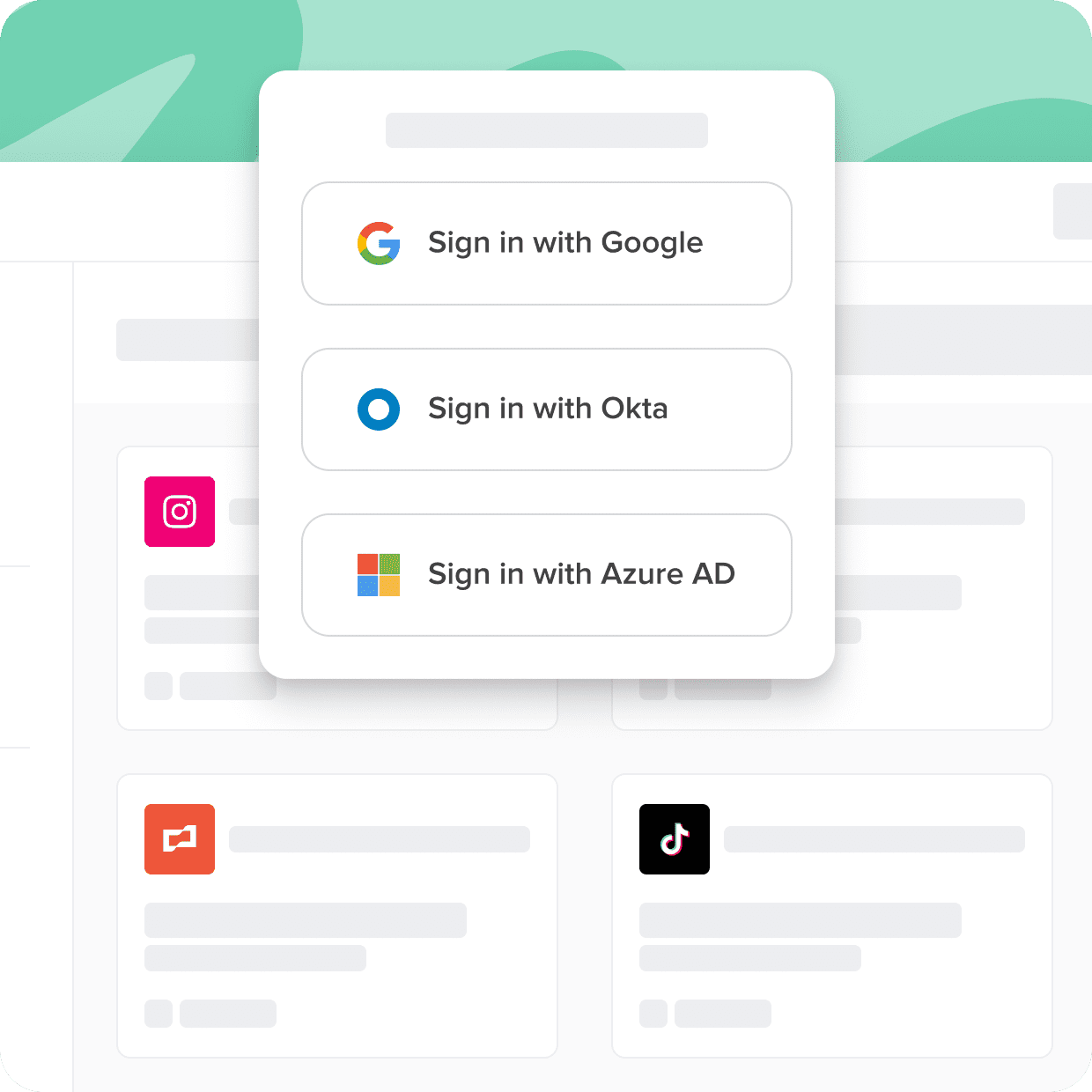
Designed especially for contractors, Cerby's Single Sign-On (SSO) integration provides robust cybersecurity, allowing them to securely access multiple applications using a single login. This simplifies the login process and enhances productivity, while maintaining high standards of privacy and compliance.
Best for Single Sign-On (SSO) Solutions for Contractors
Expert Take
Cerby SSO Integration excels in providing a secure and efficient single sign-on solution tailored for contractors. It demonstrates strong product capability and market credibility, supported by compliance and privacy standards. While pricing transparency is limited due to enterprise models, the product remains a top choice for its target audience.
Pros
- Secures non-standard apps without SAML/SCIM
- Automates 2FA enrollment and password rotation
- Integrates with Okta, Azure AD, and Ping
- SOC 2 Type II certified security
- Transparent pricing on AWS Marketplace
Cons
- Limited automation for desktop/hardware apps
- Requires browser extension for full features
- Extension limited in incognito mode
- Per-application pricing can scale costs
- Minor UI visibility issues reported
Best for teams that are
- Marketing teams managing apps lacking standard SSO support
- Organizations securing shared accounts like corporate social media
- Finance teams needing to secure 'unmanageable' legacy apps
Skip if
- IT teams looking for a primary IdP (Cerby complements IdPs)
- Companies with only standard, SAML-compliant SaaS applications
- Small businesses not managing shared high-risk accounts
Best for teams that are
- Marketing teams managing apps lacking standard SSO support
- Organizations securing shared accounts like corporate social media
- Finance teams needing to secure 'unmanageable' legacy apps
Skip if
- IT teams looking for a primary IdP (Cerby complements IdPs)
- Companies with only standard, SAML-compliant SaaS applications
- Small businesses not managing shared high-risk accounts
Pros
- Secures non-standard apps without SAML/SCIM
- Automates 2FA enrollment and password rotation
- Integrates with Okta, Azure AD, and Ping
- SOC 2 Type II certified security
- Transparent pricing on AWS Marketplace
Cons
- Limited automation for desktop/hardware apps
- Requires browser extension for full features
- Extension limited in incognito mode
- Per-application pricing can scale costs
- Minor UI visibility issues reported
Expert Take
Cerby SSO Integration excels in providing a secure and efficient single sign-on solution tailored for contractors. It demonstrates strong product capability and market credibility, supported by compliance and privacy standards. While pricing transparency is limited due to enterprise models, the product remains a top choice for its target audience.

Designed specifically for contractors, LoginRadius SSO Solution provides unified access to all web properties, mobile apps, and third-party systems. This not only enhances security but also streamlines workflows, eliminating the need for multiple logins and passwords, which are common pain points in the contracting industry.
Best for Single Sign-On (SSO) Solutions for Contractors
Expert Take
LoginRadius SSO Solution excels in providing unified access and enhanced security tailored for contractors, which is crucial for their workflow efficiency. The product is supported by strong integration capabilities and industry recognition, making it a top choice in its category.
Pros
- Free tier includes 25,000 MAU
- Supports SAML, OIDC, and JWT
- SOC 2 Type II and ISO certified
- KuppingerCole 2024 Overall Leader
- Centralized session management
Cons
- No phone support on basic plans
- Steep learning curve for beginners
- Dashboard data sync delays
- Enterprise pricing not public
- Complex custom implementation options
Best for teams that are
- B2B SaaS platforms managing external partner or customer identities
- Companies needing a CIAM solution for high-volume external users
- Enterprises requiring white-label authentication for partners
Skip if
- Internal workforce identity management for employees
- Small internal teams looking for simple employee app access
- Organizations needing a standard employee directory tool
Best for teams that are
- B2B SaaS platforms managing external partner or customer identities
- Companies needing a CIAM solution for high-volume external users
- Enterprises requiring white-label authentication for partners
Skip if
- Internal workforce identity management for employees
- Small internal teams looking for simple employee app access
- Organizations needing a standard employee directory tool
Pros
- Free tier includes 25,000 MAU
- Supports SAML, OIDC, and JWT
- SOC 2 Type II and ISO certified
- KuppingerCole 2024 Overall Leader
- Centralized session management
Cons
- No phone support on basic plans
- Steep learning curve for beginners
- Dashboard data sync delays
- Enterprise pricing not public
- Complex custom implementation options
Expert Take
LoginRadius SSO Solution excels in providing unified access and enhanced security tailored for contractors, which is crucial for their workflow efficiency. The product is supported by strong integration capabilities and industry recognition, making it a top choice in its category.




Loading comparison data…