
AI Image & Video Creation Tools
These are the specialized categories within AI Image & Video Creation Tools. Looking for something broader? See all AI, Automation & Machine Learning Tools categories.

How big is your team?
What's your budget situation?
What's your team's technical comfort level?
What's the ONE thing this tool must do well?

Wondershare Virbo is designed for insurance agents seeking to create professional spokesperson videos without the need for costly equipment or actors. With a library of over 300 AI avatars and support for 120+ languages, it simplifies global content localization. Ideal for e-learning, marketing, and corporate communications, it offers intuitive features like AI script generation and URL-to-video conversion.
Best for AI Image & Video Generation Tools for Insurance Agents
Expert Take
Wondershare Virbo empowers creators and businesses to produce professional spokesperson videos without expensive camera gear or actors. Its vast library of over 300 diverse AI avatars and massive multi-language support allow users to seamlessly localize content for global audiences. The intuitive interface and features like URL-to-video, talking photos, and AI script generation make video marketing incredibly fast. Virbo is a true time-saver for e-learning, marketing, and corporate communication
Pros
- Features over 300 diverse and customizable AI avatars
- Supports over 120 languages with high-quality AI dubbing
- Intuitive cross-platform interface for quick video generation
- Helpful built-in AI script generation and URL-to-video tools
Cons
- Credit-based pricing can become expensive for heavy users
- Free plan severely limits exporting and downloading
- Occasional lip-syncing issues or stiff avatar movements
Best for teams that are
- Educators creating engaging video lessons from text notes.
- Marketers needing quick, affordable AI spokesperson videos.
- Creators targeting global audiences with multi-language audio.
Skip if
- Video editors requiring complex, multi-slide scene editing.
- Impatient users dealing with reported slow mobile rendering.
- Professionals needing highly customizable avatar expressions.
Best for teams that are
- Educators creating engaging video lessons from text notes.
- Marketers needing quick, affordable AI spokesperson videos.
- Creators targeting global audiences with multi-language audio.
Skip if
- Video editors requiring complex, multi-slide scene editing.
- Impatient users dealing with reported slow mobile rendering.
- Professionals needing highly customizable avatar expressions.
Pros
- Features over 300 diverse and customizable AI avatars
- Supports over 120 languages with high-quality AI dubbing
- Intuitive cross-platform interface for quick video generation
- Helpful built-in AI script generation and URL-to-video tools
Cons
- Credit-based pricing can become expensive for heavy users
- Free plan severely limits exporting and downloading
- Occasional lip-syncing issues or stiff avatar movements
Expert Take
Wondershare Virbo empowers creators and businesses to produce professional spokesperson videos without expensive camera gear or actors. Its vast library of over 300 diverse AI avatars and massive multi-language support allow users to seamlessly localize content for global audiences. The intuitive interface and features like URL-to-video, talking photos, and AI script generation make video marketing incredibly fast. Virbo is a true time-saver for e-learning, marketing, and corporate communication

Vozo AI empowers ecommerce businesses with advanced AI-driven image and video generation tools, offering realistic voice cloning and lip-syncing. It's ideal for global content creators seeking efficient, secure, and multi-language video localization.
Best for AI Image & Video Generation Tools for Ecommerce Businesses
Expert Take
Vozo AI stands out for its comprehensive approach to video localization, moving beyond simple subtitle translation to offer highly realistic voice cloning, lip-syncing, and native on-screen text translation. Its robust multi-language support drastically reduces the time and cost associated with traditional dubbing workflows. With strong compliance markers like SOC 2 Type II and GDPR, it provides a secure, efficient, and highly effective suite for global content creators and professional producti
Pros
- Highly accurate voice cloning and lip-syncing
- Supports up to 111 source languages
- Translates on-screen text within videos natively
- Intuitive interface that saves creators time
Cons
- Subscription credit system feels restrictive
- Mandatory signups can cause progress loss
- Occasional export stalls and processing delays
Best for teams that are
- Marketers and educators localizing presentation videos globally.
- Teams needing AI video translation, voice cloning, and lip-sync.
- Businesses seeking fast, cost-effective multilingual video creation.
Skip if
- Editors needing advanced, traditional video editing features.
- Users requiring flawless lip-sync for complex action scenes.
- Creators working with obscure languages not supported by the AI.
Best for teams that are
- Marketers and educators localizing presentation videos globally.
- Teams needing AI video translation, voice cloning, and lip-sync.
- Businesses seeking fast, cost-effective multilingual video creation.
Skip if
- Editors needing advanced, traditional video editing features.
- Users requiring flawless lip-sync for complex action scenes.
- Creators working with obscure languages not supported by the AI.
Pros
- Highly accurate voice cloning and lip-syncing
- Supports up to 111 source languages
- Translates on-screen text within videos natively
- Intuitive interface that saves creators time
Cons
- Subscription credit system feels restrictive
- Mandatory signups can cause progress loss
- Occasional export stalls and processing delays
Expert Take
Vozo AI stands out for its comprehensive approach to video localization, moving beyond simple subtitle translation to offer highly realistic voice cloning, lip-syncing, and native on-screen text translation. Its robust multi-language support drastically reduces the time and cost associated with traditional dubbing workflows. With strong compliance markers like SOC 2 Type II and GDPR, it provides a secure, efficient, and highly effective suite for global content creators and professional producti

WeShop AI is a powerful solution designed specifically for e-commerce businesses. It harnesses the power of AI to enable Shopify sellers to create, edit, enhance, and transform their product images and videos effortlessly and quickly. As such, it directly addresses the industry's need for efficient, high-quality visual content creation.
Best for AI Image & Video Generation Tools for Shopify Sellers
Expert Take
WeShop AI Image & Video Studio excels as a specialized tool for Shopify sellers, offering AI-powered image and video editing capabilities that streamline content creation. Its integration with Shopify and focus on high-quality visual outputs make it a top choice for e-commerce businesses. While it may have limitations in integration scope and pricing for smaller businesses, its targeted functionality and ease of use justify its premium positioning.
Pros
- Diverse AI model library (ethnicity/age)
- Official Shopify integration available
- High-resolution 4K image upscaling
- Batch processing for product catalogs
- Mannequin-to-model conversion tool
Cons
- High credit cost for video generation
- Mobile app lacks desktop features
- Occasional AI artifacts (hands/fingers)
- No direct WooCommerce integration yet
- Learning curve for advanced features
Best for teams that are
- E-commerce merchants needing affordable virtual clothing try-ons.
- Content creators looking to replace photo objects via text prompts.
- Fashion brands wanting professional catalogs without photoshoots.
Skip if
- Professional videographers needing advanced timeline video editing.
- Users requiring 3D product asset modeling and rendering.
Best for teams that are
- E-commerce merchants needing affordable virtual clothing try-ons.
- Content creators looking to replace photo objects via text prompts.
- Fashion brands wanting professional catalogs without photoshoots.
Skip if
- Professional videographers needing advanced timeline video editing.
- Users requiring 3D product asset modeling and rendering.
Pros
- Diverse AI model library (ethnicity/age)
- Official Shopify integration available
- High-resolution 4K image upscaling
- Batch processing for product catalogs
- Mannequin-to-model conversion tool
Cons
- High credit cost for video generation
- Mobile app lacks desktop features
- Occasional AI artifacts (hands/fingers)
- No direct WooCommerce integration yet
- Learning curve for advanced features
Expert Take
WeShop AI Image & Video Studio excels as a specialized tool for Shopify sellers, offering AI-powered image and video editing capabilities that streamline content creation. Its integration with Shopify and focus on high-quality visual outputs make it a top choice for e-commerce businesses. While it may have limitations in integration scope and pricing for smaller businesses, its targeted functionality and ease of use justify its premium positioning.
Pixpic empowers insurance agents with advanced AI-generated image and video tools, delivering studio-quality visuals in diverse styles. Leveraging Midjourney and Stable Diffusion, it ensures a professional digital presence with ease.
Best for AI Image & Video Generation Tools for Insurance Agents
Expert Take
Pixpic distinguishes itself by leveraging the combined power of two premier AI models: Midjourney and Stable Diffusion. This dual-architecture approach enables the generation of highly detailed, studio-quality portraits across an impressive spectrum of styles—ranging from polished corporate headshots to imaginative sci-fi and vintage aesthetics. Backed by Wondershare, it provides users with accessible, cross-platform tools to completely redefine their digital presence without needing expensive p
Pros
- Powered by Midjourney and Stable Diffusion
- Backed by established developer Wondershare
- Offers a wide variety of photo styles
Cons
- Very low user ratings (1.6/5)
- App instability and upload failures
- Requires payment before previewing results
- Generation can take up to 25 minutes
Best for teams that are
- Professionals needing quick, polished LinkedIn headshots.
- Job seekers wanting studio-quality resumes affordably.
- Social media users wanting stylized, artistic profile pics.
Skip if
- Video editors looking to generate dynamic marketing videos.
- Users needing entirely free tools without microtransactions.
Best for teams that are
- Professionals needing quick, polished LinkedIn headshots.
- Job seekers wanting studio-quality resumes affordably.
- Social media users wanting stylized, artistic profile pics.
Skip if
- Video editors looking to generate dynamic marketing videos.
- Users needing entirely free tools without microtransactions.
Pros
- Powered by Midjourney and Stable Diffusion
- Backed by established developer Wondershare
- Offers a wide variety of photo styles
Cons
- Very low user ratings (1.6/5)
- App instability and upload failures
- Requires payment before previewing results
- Generation can take up to 25 minutes
Expert Take
Pixpic distinguishes itself by leveraging the combined power of two premier AI models: Midjourney and Stable Diffusion. This dual-architecture approach enables the generation of highly detailed, studio-quality portraits across an impressive spectrum of styles—ranging from polished corporate headshots to imaginative sci-fi and vintage aesthetics. Backed by Wondershare, it provides users with accessible, cross-platform tools to completely redefine their digital presence without needing expensive p

Cutout.pro offers Shopify sellers a powerful suite of AI-driven image and video editing tools, enabling green-screen-free video background removal and rapid image processing. Its scalable API and intuitive interface make it ideal for users without technical skills, though security and support issues are notable.
Best for AI Image & Video Generation Tools for Shopify Sellers
Expert Take
Cutout.pro delivers an exceptionally capable and accessible suite of AI visual editing tools that democratize complex design tasks. We are particularly impressed by its ability to perform green-screen-free video background removal and its highly scalable API, which processes images in roughly 600 milliseconds. While significant security and customer support concerns warrant caution, the core technology—from image upscaling to automated passport photo generation—remains a powerful asset for devel
Pros
- Lightning-fast 600ms image processing via robust API
- Video background removal works without a green screen
- Unused subscription credits roll over to the next month
- Intuitive web-based interface requiring no technical skills
Cons
- Massive 2024 data breach exposed millions of passwords
- Video processing is highly expensive (3-5 credits per second)
- Abysmal 1.8 Trustpilot score with poor customer support
- Company initially denied the 2024 data breach
Best for teams that are
- E-commerce sellers needing affordable bulk background removal.
- Photographers seeking quick portrait retouching and restoration.
- Developers needing API integration for image editing workflows.
Skip if
- Users needing comprehensive text-to-video ad generation.
- Designers seeking a full vector graphics creation platform.
Best for teams that are
- E-commerce sellers needing affordable bulk background removal.
- Photographers seeking quick portrait retouching and restoration.
- Developers needing API integration for image editing workflows.
Skip if
- Users needing comprehensive text-to-video ad generation.
- Designers seeking a full vector graphics creation platform.
Pros
- Lightning-fast 600ms image processing via robust API
- Video background removal works without a green screen
- Unused subscription credits roll over to the next month
- Intuitive web-based interface requiring no technical skills
Cons
- Massive 2024 data breach exposed millions of passwords
- Video processing is highly expensive (3-5 credits per second)
- Abysmal 1.8 Trustpilot score with poor customer support
- Company initially denied the 2024 data breach
Expert Take
Cutout.pro delivers an exceptionally capable and accessible suite of AI visual editing tools that democratize complex design tasks. We are particularly impressed by its ability to perform green-screen-free video background removal and its highly scalable API, which processes images in roughly 600 milliseconds. While significant security and customer support concerns warrant caution, the core technology—from image upscaling to automated passport photo generation—remains a powerful asset for devel
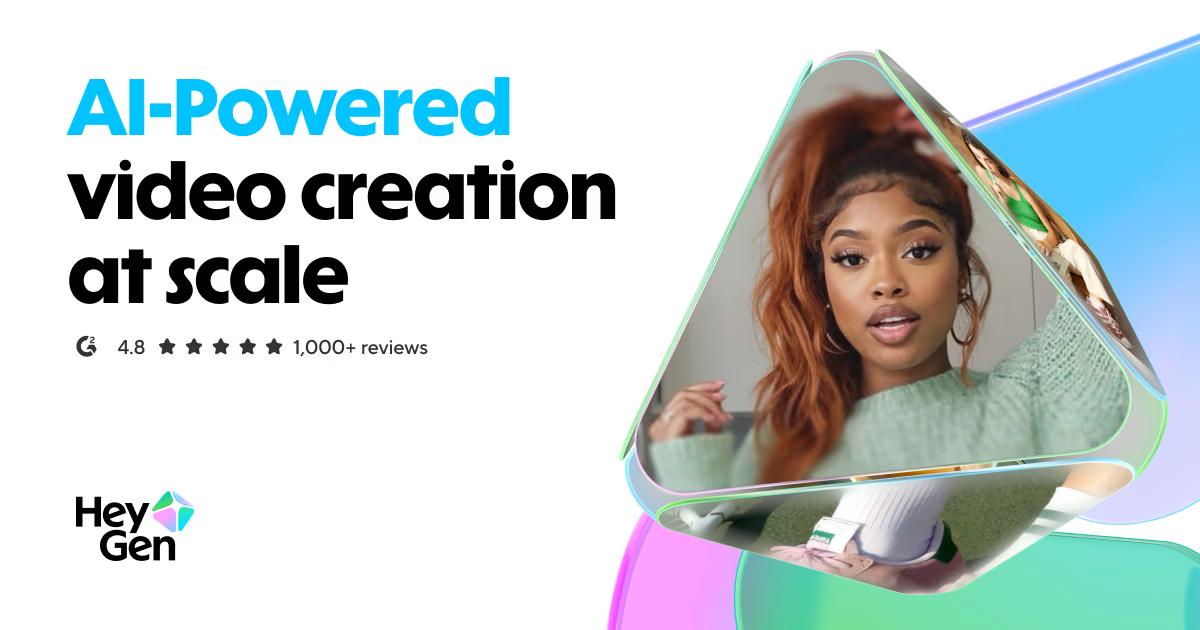
HeyGen’s AI HVAC training video maker is a game-changer for HVAC companies who want to create engaging, professional training materials. By leveraging AI-driven avatars and voiceover generation, companies can easily transform text scripts into captivating, informative videos, enhancing the learning experience for their staff.
Best for AI Image & Video Generation Tools for HVAC Companies
Expert Take
HeyGen AI HVAC Video Maker excels in providing AI-driven solutions for creating training videos specifically for the HVAC industry. Its capabilities in generating customizable AI avatars and voiceovers enhance the learning experience, making it a valuable tool for companies looking to modernize their training processes. While the product requires some initial adaptation, its benefits in terms of efficiency and engagement are significant.
Pros
- Native SCORM export for LMS
- SOC 2 Type II compliant
- 175+ languages with lip-sync
- Specific HVAC safety templates
- Converts PPT/PDF to video
Cons
- Hidden limits on unlimited plans
- Support relies on chatbots
- Credits may expire monthly
- High cost for large volumes
- No real-time filming capability
Best for teams that are
- Marketers creating scalable, multilingual training or promotional videos.
- HVAC companies wanting professional presenter videos without hiring actors.
Skip if
- Users needing highly cinematic or custom-edited videos beyond templates.
- Creators looking for a completely free tool, as the free plan is limited.
Best for teams that are
- Marketers creating scalable, multilingual training or promotional videos.
- HVAC companies wanting professional presenter videos without hiring actors.
Skip if
- Users needing highly cinematic or custom-edited videos beyond templates.
- Creators looking for a completely free tool, as the free plan is limited.
Pros
- Native SCORM export for LMS
- SOC 2 Type II compliant
- 175+ languages with lip-sync
- Specific HVAC safety templates
- Converts PPT/PDF to video
Cons
- Hidden limits on unlimited plans
- Support relies on chatbots
- Credits may expire monthly
- High cost for large volumes
- No real-time filming capability
Expert Take
HeyGen AI HVAC Video Maker excels in providing AI-driven solutions for creating training videos specifically for the HVAC industry. Its capabilities in generating customizable AI avatars and voiceovers enhance the learning experience, making it a valuable tool for companies looking to modernize their training processes. While the product requires some initial adaptation, its benefits in terms of efficiency and engagement are significant.

OpenSpace is an AI-powered SaaS solution specifically designed for construction professionals. Its visual intelligence capabilities allow builders to capture and analyze jobsite images in real-time, making it a powerful tool for project management, quality control, and on-site decision making.
Best for AI Image & Video Generation Tools for Contractors
Expert Take
OpenSpace excels in providing AI-powered visual intelligence for construction professionals, offering real-time jobsite image analysis and integration with popular construction software. Its market credibility is supported by third-party recognition, and it offers a user-friendly interface tailored for the construction industry.
Pros
- FedRAMP Authorized and SOC 2 Type 2 compliant
- Automated passive capture via 360° video walk
- Deep embedded integration with Procore
- Fast processing time (typically ~15 minutes)
- Split-view 'Time Machine' for progress comparison
Cons
- High minimum annual cost ($10k+)
- No public pricing transparency
- Image quality suffers in low light
- Occasional mapping drift in open areas
- Zoom capabilities limited by camera hardware
Best for teams that are
- Commercial builders and general contractors needing real-time job site visual insights.
- Project managers using 360-degree cameras to track construction progress visually.
Skip if
- Small, single-person residential contractors not requiring advanced progress analytics.
- Marketers seeking standard video editing or generative AI avatar creation.
Best for teams that are
- Commercial builders and general contractors needing real-time job site visual insights.
- Project managers using 360-degree cameras to track construction progress visually.
Skip if
- Small, single-person residential contractors not requiring advanced progress analytics.
- Marketers seeking standard video editing or generative AI avatar creation.
Pros
- FedRAMP Authorized and SOC 2 Type 2 compliant
- Automated passive capture via 360° video walk
- Deep embedded integration with Procore
- Fast processing time (typically ~15 minutes)
- Split-view 'Time Machine' for progress comparison
Cons
- High minimum annual cost ($10k+)
- No public pricing transparency
- Image quality suffers in low light
- Occasional mapping drift in open areas
- Zoom capabilities limited by camera hardware
Expert Take
OpenSpace excels in providing AI-powered visual intelligence for construction professionals, offering real-time jobsite image analysis and integration with popular construction software. Its market credibility is supported by third-party recognition, and it offers a user-friendly interface tailored for the construction industry.

Ideal for ecommerce businesses, Renderforest combines mockups, video animation, and web design into a single platform. Its user-friendly interface and AI capabilities help beginners create professional, high-resolution branding assets effortlessly.
Best for AI Image & Video Generation Tools for Ecommerce Businesses
Expert Take
Renderforest stands out by unifying multiple creative disciplines—mockups, video animation, and web design—into a single, cohesive cloud ecosystem. Its intuitive interface allows beginners to generate professional, high-resolution branding assets with zero prior experience, while the recent addition of AI-driven generation further cements its value as a powerful rapid prototyping tool.
Pros
- All-in-one branding ecosystem
- Beginner-friendly drag-and-drop UI
- No software installation required
- Extensive 3D mockup template library
- Integration with AI-powered tools
Cons
- Requires active internet connection
- Watermarked and restricted free plan
- Limited advanced design customization
- Pricing confusing for occasional users
Best for teams that are
- Small business owners and freelancers needing simple mockups.
- E-commerce brands wanting quick apparel and device templates.
- Users seeking an intuitive, drag-and-drop mockup generator.
Skip if
- Professional designers needing highly original, custom designs.
- Users requiring watermark-free mockups without a paid plan.
- Businesses seeking advanced, highly detailed 3D modeling tools.
Best for teams that are
- Small business owners and freelancers needing simple mockups.
- E-commerce brands wanting quick apparel and device templates.
- Users seeking an intuitive, drag-and-drop mockup generator.
Skip if
- Professional designers needing highly original, custom designs.
- Users requiring watermark-free mockups without a paid plan.
- Businesses seeking advanced, highly detailed 3D modeling tools.
Pros
- All-in-one branding ecosystem
- Beginner-friendly drag-and-drop UI
- No software installation required
- Extensive 3D mockup template library
- Integration with AI-powered tools
Cons
- Requires active internet connection
- Watermarked and restricted free plan
- Limited advanced design customization
- Pricing confusing for occasional users
Expert Take
Renderforest stands out by unifying multiple creative disciplines—mockups, video animation, and web design—into a single, cohesive cloud ecosystem. Its intuitive interface allows beginners to generate professional, high-resolution branding assets with zero prior experience, while the recent addition of AI-driven generation further cements its value as a powerful rapid prototyping tool.

SellerPic offers an AI-powered solution specifically designed for Shopify sellers, transforming product images into engaging visuals without requiring physical models or resources. Its tools, such as virtual try-on, image-to-video, and lipsync videos, are ideal for fashion retailers looking to enhance their product imagery and boost customer engagement.
Best for AI Image & Video Generation Tools for Shopify Sellers
Expert Take
SellerPic is a specialized AI tool for Shopify sellers, offering innovative features like virtual try-ons and image-to-video transformations. Its focus on enhancing product imagery for fashion retailers positions it as a leader in its niche. Despite being relatively new, it provides significant value through its AI capabilities.
Pros
- Direct Shopify synchronization
- High facial consistency via Gemini 2.5
- Virtual try-on for apparel & jewelry
- Built-in social media scheduler
- Replaces expensive model photoshoots
Cons
- Credits deducted on failed generations
- Annual billing charged upfront unexpectedly
- AppSumo lifetime deal restrictions
- Occasional AI artifacts in clothing
- No partial refunds allowed
Best for teams that are
- Apparel and jewelry Shopify sellers needing on-model images.
- Dropshippers requiring virtual try-on shots for product pages.
- Small e-commerce teams lacking in-house photography budgets.
Skip if
- Brands requiring highly bespoke, complex campaign photography.
- Sellers needing exact size and fit guarantees from virtual try-ons.
Best for teams that are
- Apparel and jewelry Shopify sellers needing on-model images.
- Dropshippers requiring virtual try-on shots for product pages.
- Small e-commerce teams lacking in-house photography budgets.
Skip if
- Brands requiring highly bespoke, complex campaign photography.
- Sellers needing exact size and fit guarantees from virtual try-ons.
Pros
- Direct Shopify synchronization
- High facial consistency via Gemini 2.5
- Virtual try-on for apparel & jewelry
- Built-in social media scheduler
- Replaces expensive model photoshoots
Cons
- Credits deducted on failed generations
- Annual billing charged upfront unexpectedly
- AppSumo lifetime deal restrictions
- Occasional AI artifacts in clothing
- No partial refunds allowed
Expert Take
SellerPic is a specialized AI tool for Shopify sellers, offering innovative features like virtual try-ons and image-to-video transformations. Its focus on enhancing product imagery for fashion retailers positions it as a leader in its niche. Despite being relatively new, it provides significant value through its AI capabilities.

This SaaS solution transforms insurance sales with its AI-powered video tools. It simplifies complex policy explanations and personalizes communication with customers, making it highly suitable for insurance agents. Additionally, it enhances marketing efforts to boost sales and improve customer engagement.
Best for AI Image & Video Generation Tools for Insurance Agents
Expert Take
AI Insurance Sales Video Tools excels in transforming complex insurance policy explanations into personalized video content, enhancing customer engagement and sales. The product is specifically tailored for insurance agents, leveraging AI to simplify communication and improve marketing efforts. While it may require some technical knowledge to operate, its specialized capabilities and market relevance position it as a premium solution in its category.
Pros
- Automated PPT-to-Video conversion
- Dedicated insurance policy explainer tools
- Highly affordable starting price ($4.99/mo)
- No technical video editing skills required
- Voice cloning for personalized outreach
Cons
- Limited third-party integrations
- Low volume of verified user reviews
- Credit system can be confusing
- Free tier includes watermarks
- Fewer enterprise security badges displayed
Best for teams that are
- Insurance agents explaining complex policies via video.
- Sales reps sending personalized policy renewal reminders.
- Busy professionals needing easy, no-crew storytelling.
Skip if
- Hollywood studios needing complex 3D rendering tools.
- Those needing enterprise SOC2 compliance for training.
Best for teams that are
- Insurance agents explaining complex policies via video.
- Sales reps sending personalized policy renewal reminders.
- Busy professionals needing easy, no-crew storytelling.
Skip if
- Hollywood studios needing complex 3D rendering tools.
- Those needing enterprise SOC2 compliance for training.
Pros
- Automated PPT-to-Video conversion
- Dedicated insurance policy explainer tools
- Highly affordable starting price ($4.99/mo)
- No technical video editing skills required
- Voice cloning for personalized outreach
Cons
- Limited third-party integrations
- Low volume of verified user reviews
- Credit system can be confusing
- Free tier includes watermarks
- Fewer enterprise security badges displayed
Expert Take
AI Insurance Sales Video Tools excels in transforming complex insurance policy explanations into personalized video content, enhancing customer engagement and sales. The product is specifically tailored for insurance agents, leveraging AI to simplify communication and improve marketing efforts. While it may require some technical knowledge to operate, its specialized capabilities and market relevance position it as a premium solution in its category.





Loading comparison data…